
How to Set Up Internet at Home in Japan
A practical 2026 guide to setting up home internet in Japan: check apartment wiring and landlord rules, compare fiber and home routers, understand current fees, install secure Wi-Fi, and keep a temporary connection while you wait. For shorter leases or uncertain installation timing, compare home WiFi vs fiber vs pocket WiFi for 3–12 month stays.
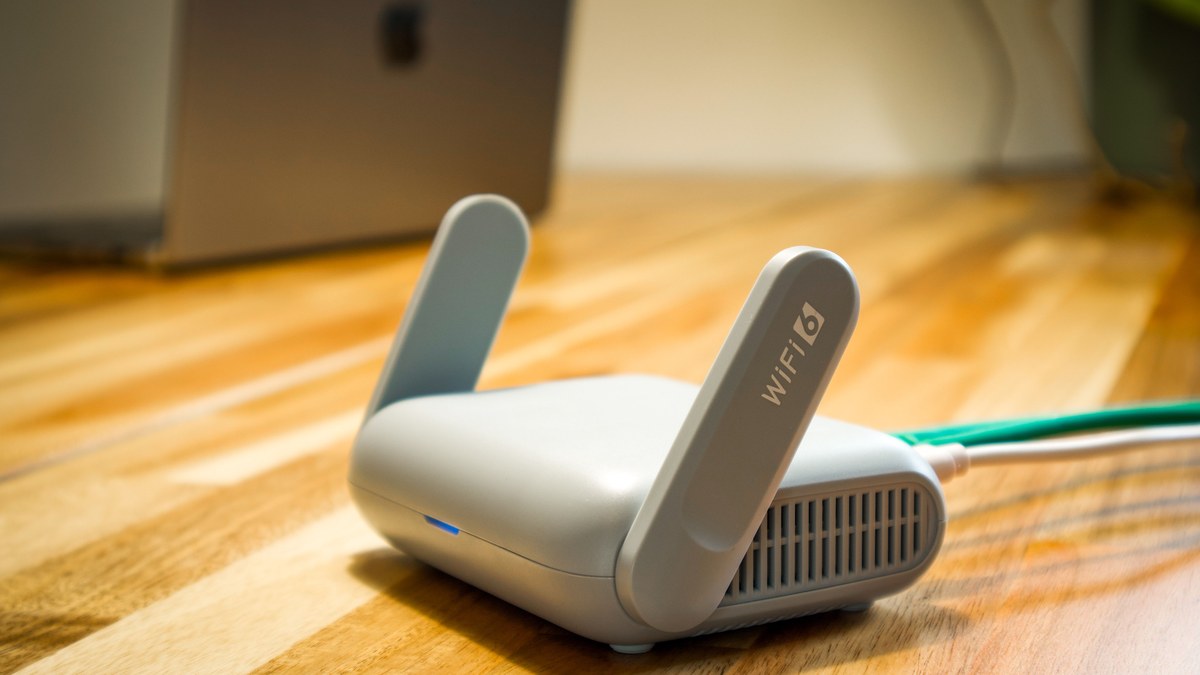
Check the apartment first: find out whether internet is already included, what wiring reaches your room, and whether new work needs landlord or management approval. Then check service availability for the exact building and room. For long-term, high-capacity use, fiber is usually the strongest fit; for fast setup or buildings where fixed-line work is difficult, a 4G/5G home router can be more practical. Keep Pocket WiFi or tethering as a temporary bridge until the permanent connection is working, and compare the full contract cost—including construction, equipment, cancellation and moving charges—before you sign.
Start with the building, not the provider
Home internet in Japan is easiest to set up when you begin with the apartment or house itself. Before comparing brands, find out whether internet is already included, what wiring reaches your room, whether a line is already active, and whether new installation work needs approval from the landlord or management company.
Rental listings can use phrases such as “internet included,” “internet available,” “internet ready,” or “free internet.” These do not always mean the same thing. A wall port may exist even when you still need a provider contract, activation, an ONU or gateway, or a Wi-Fi router.
- Ask whether the internet charge is included in rent or the management fee.
- Ask whether the room already has an active connection or only physical wiring.
- Check whether Wi-Fi is supplied or only a wired LAN connection.
- Confirm who owns any ONU, modem, gateway or router already in the room.
- Ask whether new fiber work, drilling, screws, external cable or common-area access needs approval.
- Ask whether the building uses a shared system and whether residents may order a separate private line.
Choose the connection type — and check how your apartment is wired
For most long-term residents, the practical choice is between fiber-optic internet and a 4G/5G home router. Building internet or cable may already be available in some properties, while Pocket WiFi or phone tethering is better treated as a temporary or flexible connection.
Fiber is usually the strongest starting point for remote work, gaming, large uploads, cloud backup, high-quality streaming and homes with several active devices. A home router can be more practical when you need service quickly or cannot arrange fixed-line construction.
Japanese apartment buildings can deliver internet to individual rooms in different ways. NTT East describes three common building-side methods: direct optical wiring, VDSL using existing telephone wiring, and LAN wiring inside the building. The service sold to the building may be “fiber,” but the final path to your room can still affect the technical ceiling and real-world performance.
If a provider says your address is covered, ask one more question: what connection method will actually be used to this room? In older properties, changing from VDSL or LAN-based delivery to direct optical wiring can require building-level equipment and management-company approval rather than a simple change inside one unit.
- Fiber: best default for long-term, high-capacity and latency-sensitive use.
- 4G/5G home router: useful when construction is restricted or speed of activation matters more than fixed-line consistency.
- Building/cable internet: convenient when already installed, but speed and provider choice may depend on the property.
- Pocket WiFi: useful during installation delays, short stays or an uncertain move schedule.
- Phone tethering or a data SIM/eSIM: good as an emergency backup or for light temporary use.
- Optical outlet / 光コンセント: fiber may reach the room directly.
- LAN wall port: the building may distribute the connection over Ethernet.
- Telephone-style modular jack: some older apartment services use VDSL.
- Cable TV outlet: some buildings provide internet over cable infrastructure.
- Existing ONU or gateway: do not reset, discard or return it until you know who owns it.
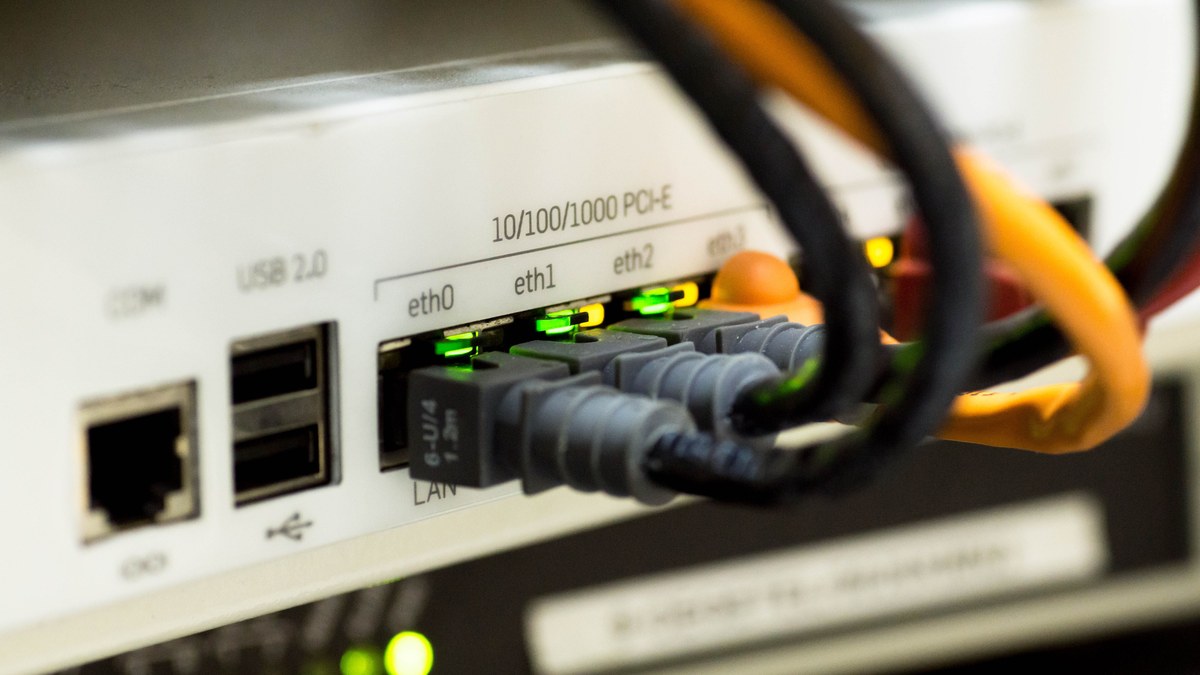
Fiber, home routers and Hikari: choose by use case, not the brand name
Choose by the constraint that matters most instead of by a single speed number. Fiber and mobile-network home routers solve different problems, and neither is automatically best for every home.
“Hikari” (光) means light and is widely used in Japanese fiber service names. Many retail fiber services use NTT East or NTT West infrastructure under their own billing, support and package conditions. Other networks, including au Hikari and NURO Hikari, have their own service structures and address-specific availability.
A practical shortlist can include NTT/FLET’S-based services such as docomo Hikari and SoftBank Hikari, au Hikari, NURO Hikari, and resident-focused services such as Sakura Fiber. This is not a universal ranking. The best fit depends on your exact building, wiring method, language support, payment method, mobile-phone bundle, installation timing and cancellation rules.
- Remote work and frequent video calls: favor fiber when available.
- Competitive gaming: favor fiber because latency consistency matters as much as download speed.
- Large uploads or content production: favor fiber.
- Several heavy users at the same time: favor fiber.
- Need internet immediately: consider a 4G/5G home router.
- Landlord will not permit new fixed-line work: use the building service or a home router.
- Short or uncertain stay: compare home routers and Pocket WiFi against the total cost of installing and later cancelling fiber.
- Waiting for fiber activation: keep a temporary mobile connection until the fixed line is confirmed working.
- Confirm the exact building and room, not only the city or postal code.
- Check whether the internet service provider is included or billed separately.
- Check whether a Wi-Fi router is included, rented or purchased.
- Check support language and how installation appointments are handled.
- Check the moving procedure before signing a long contract.
Do you need 1 Gbps or 10 Gbps?
For many households, a well-functioning 1 Gbps fiber plan is already sufficient for ordinary browsing, streaming, video meetings, cloud services and multiple devices. A 10 Gbps plan can be useful for very large file transfers, multiple heavy users or specialized home-office workloads, but only if your address and your own equipment can use it.
A 10 Gbps subscription does not make every Wi-Fi device run at 10 Gbps. The provider, ONU or gateway, router, Ethernet ports, cables, switches and receiving device all have to support the relevant speeds.
- Do not pay for 10 Gbps only because the number is larger.
- Check whether the exact building supports the 10 Gbps service.
- Check whether your router and wired devices have multi-gigabit ports.
- Use wired Ethernet when maximum consistency matters.
Step 1: inspect the room and verify service for the exact unit
Look around the room and record what is already installed. This avoids ordering a service that the building cannot deliver and helps the provider identify the correct construction path.
If equipment is already present, photograph the model label for your own records but do not publish passwords, QR codes, account numbers, serial numbers or other credentials.
A provider may serve your neighborhood but not your apartment. Use the provider’s official checker with the full postal code, address, building name and room number. If the result is unclear, ask the provider to confirm the actual installation method for your unit.
Availability can depend on building equipment, capacity, common-area access, owner approval and the physical route into the room. Do not sign only because a salesperson says the area is covered.
- Optical fiber wall outlet.
- LAN wall port.
- Telephone socket.
- Cable television outlet.
- ONU, modem, home gateway or router.
- Setup documents or equipment-return instructions left by the building.
- Use the exact building name and room number.
- Ask whether the room will use direct fiber, VDSL, LAN or another method.
- Ask whether an engineer visit is required.
- Ask whether the provider needs access to a shared equipment room or other common area.
Step 2: get landlord or management-company approval when required
Some fiber installations can reuse existing conduit and outlets with almost no visible work. Others may require new external cable, a wall plate, screws, drilling or access to common building equipment. Get approval before the installation date whenever the work could affect the building.
A useful written question is: “If the provider needs new fiber installation or access to common building equipment, what approval do I need first?” Keep the answer with your rental records.
- Do not authorize drilling or exterior work without permission.
- Do not assume the internet provider will obtain landlord approval for you.
- Ask whether existing building infrastructure must remain in place when you move out.
Step 3: compare the total contract cost using current 2026 fees
Internet pricing in Japan can include a line charge, provider charge, registration fee, construction, router or gateway rental, device installments and optional services. Discounts can also be conditional. Compare the amount you will actually pay over the period you expect to stay.
Check what happens if you cancel after 6, 12 or 24 months. A campaign described as “effectively free” may offset an installment with monthly discounts rather than erase the original charge. If you leave before all discounts are received, a remaining construction or device balance may still be payable.
Prices are especially easy to misread in 2026 because several major providers have revised fees. As checked on August 15, 2026, docomo states that construction charges for applications from June 1 were revised, and its 1 Gbps page gives a representative new-application example of ¥4,950 contract administration plus ¥28,600 construction. au states that the new registration fee for the relevant au Hikari apartment plan increased to ¥4,950 from August 1. SoftBank also revised construction charges from June 1.
NURO has announced another change that has not yet taken effect as of this article check: from September 1, 2026, NURO 光 One 2 Gbps is scheduled to move from ¥5,500 to ¥5,720 per month and One 10 Gbps from ¥6,050 to ¥6,600; listed apartment 2 Gbps and 10 Gbps plans are also scheduled to increase. Because campaigns and plan conditions can change again, use these examples as a warning to verify the official page on the day you apply, not as a permanent price table.
- Monthly line and ISP charges.
- Registration or administration fee.
- Construction and special-visit charges.
- Router, home gateway or home-router device cost.
- Optional phone, TV, security and support services.
- Contract period and automatic renewal.
- Cancellation charge.
- Remaining construction or device installments.
- Equipment-return deadline and non-return charges.
- Moving, relocation or removal charges.
- Check the provider’s official price page on the day you apply.
- Save the plan name and campaign conditions shown during application.
- Calculate both the normal monthly price and any temporary promotional price.
- Include unpaid construction and device installments in an early-cancellation calculation.
Step 4: prepare the application information and key Japanese terms
Knowing a few terms makes provider pages, emails and installation calls much easier to follow. You do not need to memorize them, but keep this list nearby when applying.
Requirements vary by provider, but prepare consistent identity, address and payment information before you apply. A mismatch between the building name, room number, legal name or contact information can slow down installation or delivery.
If the provider requires a reachable Japanese phone number for the application or engineer visit and you do not have one yet, complete that setup first.
- 光回線 (hikari kaisen): fiber-optic internet line.
- 回線工事 (kaisen kōji): line installation work.
- 開通 (kaitsū): service activation / line opening.
- 工事費 (kōji-hi): construction or installation fee.
- 契約事務手数料 (keiyaku jimu tesūryō): contract administration fee.
- 解約 (kaiyaku): cancellation.
- 契約解除料 / 解約金: cancellation charge or contract termination fee.
- 戸建て (kodate): detached house.
- マンション: apartment/condominium plan category.
- 光コンセント: optical wall outlet.
- ONU: optical network unit.
- ホームルーター: plug-in mobile-network home router.
- Full legal name.
- Japanese service address, building name and room number.
- Email address and reachable phone number.
- Accepted identity documents when required.
- Accepted credit card or Japanese bank account.
- Landlord or management approval when required.
- Preferred installation dates.
Step 5: apply, schedule installation and keep temporary internet until activation
Apply through the provider’s official website, shop or verified sales channel. Confirm the service address, plan, wiring method, installation date and whether someone must be present. Keep the order confirmation or reference number.
Installation timing is not guaranteed. Region, season, technician availability, building access and additional construction can all delay activation. Keep a working backup until the permanent line has passed your own real-world test.
A temporary connection can prevent a move from turning into days or weeks without usable internet. Options include phone tethering, a data SIM/eSIM, Pocket WiFi, a 4G/5G home router, or a temporary device supplied by the fiber provider.
Japan Wireless offers Pocket WiFi delivery within Japan and publishes long-term 3-month, 6-month and 1-year options. That makes it relevant as a bridge while a permanent line is pending or when your stay is temporary. It should not be treated as automatically equivalent to fiber: mobile signal, congestion, latency, battery, device capacity, return rules and total rental cost still matter.
- Do not cancel your existing connection until the new one works.
- Confirm what the engineer may need to access.
- Keep management-company approval available on the installation day.
- Record any promised temporary-router or installation-support arrangement in writing.
- Use temporary Wi-Fi when the activation date is later than your move-in date.
- Keep it until the permanent line has been tested.
- Compare delivery, return, cancellation and rental-period rules before ordering.
- Use fiber or another permanent home service when sustained high-capacity use is the priority.

Step 6: connect the equipment, secure Wi-Fi and place the router well
The names used by providers can be confusing because one box may perform several functions. Follow the diagram supplied for your exact service rather than copying another household’s setup.
An ONU converts the optical signal to a network connection. A modem is used with some cable or telephone-based systems. A home gateway may combine routing, telephone and line-control functions. A Wi-Fi router shares the connection with wired and wireless devices. A 4G/5G home router connects to a mobile network instead of a normal fixed fiber line.
After the line is active, connect the equipment in the provider’s stated order and wait for the required status lights. Use the official Wi-Fi network name and password, then change the router administrator password when the provider or router documentation recommends it.
Router position can make a fast line feel slow. Put the router in an open, elevated location near the center of the area where you use Wi-Fi, away from metal cabinets, major obstructions and large appliances. For important work, gaming or large transfers, use wired Ethernet when practical.
- Do not connect the WAN and LAN ports at random.
- Do not factory-reset provider equipment unless support tells you to.
- Keep provider-supplied power adapters with the correct device.
- Install available firmware updates.
- Use a modern Wi-Fi security mode supported by your devices.
- Keep the Wi-Fi password and router administrator password separate and protected.
- Do not share administrator credentials with visitors.
- For larger or difficult layouts, consider a mesh Wi-Fi system.
- Compare a wired test, a Wi-Fi test near the router and a Wi-Fi test in the problem room before blaming the provider.

Step 7: test the connection before you rely on it
Do not treat activation as complete merely because one web page loads. Test the tasks that actually matter to your household at more than one time of day.
If a problem occurs, note the time, device, whether the test was wired or wireless, any error message, and the status lights on the ONU, gateway and router. This makes technical support more useful.
- Web browsing and streaming.
- Video meetings.
- Uploads and downloads.
- Wi-Fi in important rooms.
- Wired Ethernet.
- Several devices at the same time.
Protect yourself from unexpected internet sales calls and door-to-door claims
Do not sign immediately because someone says your building “must” change providers, your existing line will stop, the management company sent them, or a discount expires today. Ask for the company and service name in writing and verify the claim through a contact method you already trust.
The Consumer Affairs Agency’s nationwide Consumer Hotline 188 connects residents to a nearby consumer-affairs consultation service; the 188 telephone service itself is in Japanese. The agency also publishes a separate tourist consumer hotline with multilingual support.
- Do not hand over identification or payment details to an unexpected salesperson.
- Call the management company using a number from your lease or known official website.
- Open the provider’s official site independently rather than following an unsolicited link.
- Confirm the total cost, installation, renewal and cancellation terms before agreeing.
Moving later? Internet has its own relocation and cancellation procedure
Your internet contract does not automatically move when you change homes. Contact the provider early, check availability at the new address and ask whether the existing contract can transfer or whether a new installation is required.
Do not order line removal only because you are leaving. The landlord or building may require existing infrastructure to remain. Return rented equipment exactly as instructed and keep proof of return.
- Check service availability at the new address.
- Ask about relocation, removal and new-installation charges.
- Check remaining construction or device balances.
- Confirm which equipment must be returned and by what deadline.
- Keep return tracking or other proof.
- Do not close the payment method until final charges and refunds are settled.
Final setup checklist
Before you commit to a home-internet contract, make sure every item below has a clear answer. If one does not, verify it with the building or provider before paying.
- I know whether internet is already included in the property.
- I know what wiring method reaches my room.
- I checked the exact building and room with the provider.
- I know whether landlord or management approval is required.
- I chose fiber, a home router, building internet or temporary mobile Wi-Fi for a clear reason.
- I compared the full contract cost rather than only the headline monthly price.
- I know the construction fee and whether a remaining balance can survive cancellation.
- I know whether the router or gateway is rented or purchased.
- I know the cancellation and moving rules.
- I have a backup connection until activation.
- I will test the permanent line before relying on it.
FAQ
What is the best type of home internet in Japan?
For a long-term home where stable high-capacity internet matters, fiber is usually the strongest starting point. A 4G/5G home router is often more practical when you need quick setup or cannot install a fixed line. The final choice depends on the exact building, contract, support needs and total cost.
Do I need permission to install fiber in a rented apartment?
Sometimes. If installation affects common areas, external wiring, walls, fixtures or building equipment, the landlord or management company may need to approve it. Ask before booking work.
How long does fiber installation take in Japan?
There is no universal waiting period. Provider workload, season, region, existing building equipment, access and the required construction can all change the schedule. Keep temporary internet until the permanent line is active and tested.
Do I need a Japanese phone number to apply?
Some providers request a reachable domestic number for application, installation scheduling, delivery or support. Check the current requirement for the provider and product you are considering.
Is 10 Gbps worth it?
Only when your address supports it and your real workload and equipment can benefit. Most ordinary home users do not need 10 Gbps simply for browsing, streaming or standard video calls.
Does an optical outlet mean internet is already active?
No. It shows that fiber equipment may have been installed, but you may still need a provider contract, activation, an ONU or gateway, and a router.
Can a home router replace fiber?
Yes for some households. It can be a good choice when construction is impossible or quick setup matters more than fixed-line consistency. Performance depends on mobile coverage, congestion, building materials and router position.
Can Pocket WiFi be used as home internet?
Yes, especially temporarily. It is useful during installation delays, short stays or uncertain housing periods. For permanent heavy household use, compare mobile signal, latency, battery, data policy, device capacity, return rules and long-term cost against fiber or a home router.
Official References
- NTT East: Apartment Building Installation and Wiring Methods
- NTT East: FLET'S Hikari Apartment Service Menus and Wiring Methods
- NTT West: FLET'S Hikari Next
- NTT DOCOMO: docomo Hikari Charges
- NTT DOCOMO: docomo Hikari 10 Gigabit
- SoftBank: SoftBank Hikari Charges
- au: au Hikari Apartment Type V Charges
- NURO Hikari: Home Pricing
- NURO: September 2026 Price Revision Notice
- Consumer Affairs Agency: Consumer Hotline
- Japan Wireless: Pocket WiFi FAQ and Long-Term Plans
Final Thoughts
The safest way to set up home internet in Japan is to work from the building outward. Confirm what is already installed, check the exact room with the provider, get any required permission, and choose the connection type by how long you will stay and how heavily you use the internet. For long-term high-capacity use, fiber is usually the strongest fit. When construction is not possible or activation speed matters more, a 4G/5G home router can be practical. When you are waiting for installation or your stay is temporary, Pocket WiFi can bridge the gap. Whatever you choose, verify the current official price, protect your router credentials, test the connection before relying on it, and understand the moving and cancellation rules from the beginning.