
How to Fill Out Japanese Forms: Names, Addresses & Corrections Guide
A practical 2026 guide to completing Japanese forms correctly, including legal names, furigana, addresses, dates and eras, phone fields, checkboxes, signatures, corrections, attachments, representatives, and online applications.

There is no single rule that works for every Japanese form. Start with the latest form and instructions from the authority handling your procedure, then copy identity details from the official record the form expects. Match the requested script and format for your name, address, date, phone number, and other fields; use the official 記載例 (completed example) when one is published. Do not guess how to correct an error, what to write in a non-applicable field, whether a seal is required, or whether another person may sign for you. For online procedures, confirm the official site, account or electronic-certificate requirements, file-upload rules, and save the submission receipt or reference number. If one field is unclear, ask the receiving office before submitting rather than creating an incorrect official record.
Start With the Exact Procedure and Current Form
The safest way to fill out a Japanese form is to treat the form itself as procedure-specific. A city-hall certificate request, immigration application, health-insurance notification, tax form, and bank application may use similar labels but different rules. Download the newest version from the responsible authority or obtain it at the counter.
Before writing, read the page containing the form as well as notes marked 注意, 記入上の注意, 裏面, 添付書類, and 提出先. Check the deadline, filing office, submission method, required attachments, whether originals or copies are needed, and whether the authority publishes a 記載例. The Immigration Services Agency, for example, publishes official forms together with completed examples for a number of residence procedures.
Do not assume an older saved PDF, preprinted envelope, application ID, or instruction sheet is still valid. Official systems and forms change. In 2026, the Immigration Services Agency moved to a renewed online residence-application system, while J-LIS continues to direct My Number Card applicants to current application and mailing materials.
- Get the latest form from the responsible authority.
- Read the form instructions and the authority's procedure page.
- Confirm deadline, submission route, fee, and attachments.
- Find the official 記載例 when available.
- Prepare difficult names, addresses, dates, and explanations before writing the final form.
Names, Roman Letters, Katakana, and Furigana
Use the legal name source required by the procedure. For a foreign resident, this may be the passport, residence card, resident record, or another official record. Do not remove a middle name, reverse the order, shorten a long name, or switch to a nickname simply because the printed box looks small.
Common labels include 氏名 for full name, 姓 for family name, 名 for given name, ローマ字 for Roman letters, and フリガナ or ふりがな for a phonetic reading. Follow the script shown in the field and the official example rather than relying on a blanket rule. A field for 通称 is different from a legal-name field and should only be used when the procedure recognizes that alias.
If the legal name does not fit the available boxes, ask how the authority wants it continued. Depending on the form, staff may instruct you to use an additional sheet, a specific abbreviation rule, or a separate field. Fields marked 署名, 自署, or 本人が記入 may require the applicant to complete them personally.
- Copy the name from the official identity record required by the form.
- Match the requested script: Roman letters, katakana, hiragana, or kanji.
- Do not silently remove middle names or change name order.
- Ask how to handle a name that does not fit.
- Treat signature and self-completion fields separately from ordinary data-entry fields.
Japanese Addresses and Postal Codes
Use the address source specified by the procedure, often the address currently recorded in the resident-registration system. A Japanese address can include postal code, prefecture, municipality, district or neighborhood, chōme, block and building numbers, building name, and room number.
Common labels include 郵便番号, 住所, 住居地, 都道府県, 市区町村, 番地, 建物名, and 部屋番号. If the form is Japanese, keep the Japanese address order unless the field or example specifically asks for another format.
Do not copy an old lease, parcel label, or English-transliterated address when the procedure expects the currently registered address. If a move has occurred, first check whether the address record itself must be updated before using the new address on another application.
- Use the address record the procedure specifies.
- Include building and room numbers when they are part of the official address.
- Follow Japanese order on Japanese forms unless instructed otherwise.
- Check whether the form wants current residence, registered address, or a separate mailing address.

Dates, Japanese Eras, and Number Fields
Japanese forms commonly use year-month-day order, but the year may be requested in the Western calendar or a Japanese era such as 令和. Follow the printed labels and the official example. Do not mix Western-year and era notation inside one field unless the form explicitly allows it.
Identify what each date means before writing. 生年月日 is date of birth; 申請日 is an application date; 届出日 is a notification date. A form can also ask for an issue date, move date, employment date, marriage date, or another event date.
For number fields, copy identifiers carefully and preserve required leading zeros. Some online services enforce exact digit length. J-LIS, for example, warns that its computer application uses the 23-digit My Number Card application ID and that an incorrect ID can prevent correct card issuance.
- Check whether the form uses Western years or Japanese eras.
- Confirm the meaning of every date field.
- Keep required leading zeros and digit lengths.
- Recheck long application or reference numbers before submission.
Telephone, Email, and Contact Fields
A label such as 日中連絡可能な電話番号 asks for a number where staff can reach you during the day. Use a number you actually answer, especially when the authority may need to clarify a document or incomplete field.
Follow the form's box and hyphen format. On paper, write digits clearly. Online, use the requested half-width or other character format. For email, check easily confused characters such as zero and O, one and lowercase l, hyphens and underscores.
Use an email address you monitor and preserve confirmation messages. If a form has separate current phone, daytime phone, emergency contact, or representative contact fields, do not automatically repeat the same number without reading the label.
- Use a reachable daytime number when requested.
- Follow the printed digit and hyphen format.
- Check email spelling character by character.
- Keep confirmation emails and contact messages.
Checkboxes, Relationships, Purpose, and Staff-Only Fields
Read the selection instruction before marking a box. 該当するものに○ means to circle the applicable item. いずれか一つ means choose one. 複数選択可 permits multiple choices. Never assume a blank square always means 'select this option'; the nearby instruction controls the meaning.
続柄 means the relationship to the person identified by the form. The reference person can be the applicant, household head, child, insured person, account holder, or another party. Confirm who the relationship is measured from before writing 本人, 夫, 妻, 父, 母, 子, 世帯主, or 代理人.
Fields such as 申請理由, 使用目的, and 請求理由 normally need a short factual reason. Staff-use areas such as 職員記入欄, 受付使用欄, and 事務処理欄 should not be completed by the applicant.
- Read the marking instruction before circling or checking.
- Confirm who a relationship field refers to.
- Write a concise factual purpose when required.
- Leave staff-only processing areas untouched.
Signatures, Seals, Witnesses, and Representatives
Do not assume that every Japanese form requires an inkan. Seal requirements differ by procedure, and some legal notifications that historically displayed seal boxes no longer require stamping. Edogawa City, for example, notes that the seal obligation for family-register notifications was abolished and stamping is optional on the downloadable forms it lists.
A handwritten signature can still be legally or procedurally important even when a seal is not required. Check whether the form says 署名, 自署, 本人記入, 申請者, or 届出人 and who must complete that field.
A representative is not simply a friend who helps translate. A representative procedure can require a power of attorney, the representative's identification, relationship evidence, or a dedicated representative section. Witness fields on family-register notifications are another separate category and must be completed according to that notification's instructions.
- Check the current procedure before using a seal.
- Do not let another person sign a self-signature field.
- Use the correct power-of-attorney or representative documents when required.
- Distinguish applicant, representative, witness, guarantor, and household-member fields.
How to Correct a Mistake Safely
Correction rules are not universal. A method accepted on one municipal form can be wrong for an immigration form, a family-register notification, or an online submission. Stop before using correction liquid, correction tape, overwriting, or an improvised stamp.
First read the form's correction instructions. If the document creates or changes an important legal record, ask the receiving authority when in doubt. When the mistake is extensive or the corrected field would become unclear, starting again with a clean copy is often safer.
Online procedures can also differ. Some allow editing before final submission, some provide a change or withdrawal route, and others require you to contact the authority after submission. Save the receipt or reference number before asking for a correction.
- Do not assume one correction method works everywhere.
- Read the exact form's correction rule first.
- Never alter another person's signature or an official certification area.
- Use a clean form when the correction would be ambiguous.
- For online errors, preserve the submission reference before contacting the authority.
Blank Fields, Attachments, Copies, Translations, and Photos
A blank field can mean different things. Depending on the procedure, the authority may want なし, 該当なし, a line through the unused area, or a true blank. Follow the instructions or ask staff rather than inventing a universal practice.
For attachments, confirm whether the authority wants an original or copy, front only or both sides, color or black-and-white, a particular paper size, a recent issue date, a certified copy, or a Japanese translation. Check whether originals will be returned.
Photo specifications are also procedure-specific. As one current example, the My Number Card site lists 4.5 cm × 3.5 cm for the relevant paper photo and instructs applicants to write their name and date of birth on the back. That size should not be copied to unrelated procedures without checking their own rules.
For foreign-language documents, verify whether a translation is required and whether the translator's name or a statement of accuracy must be shown. Never hide a missing original by submitting only a translation unless the authority explicitly allows that.
- Confirm what to do with non-applicable fields.
- Check original-versus-copy and front-versus-both-sides rules.
- Verify paper size, issue-date limits, and photo dimensions.
- Follow procedure-specific translation rules.
- Keep a secure copy of what you submitted.
Online Forms and 2026 Digital Procedures
Many Japanese administrative procedures can now be handled electronically, but each system has its own requirements. e-Gov supports online applications and notifications for many central-government procedures and can require an e-Gov account, application software, attachments, and—in some procedures—an electronic signature and electronic certificate.
The Immigration Services Agency launched a renewed residence-application online system on January 5, 2026. The 2026 renewal added improvements such as larger attachment capacity, multiple-file attachment support, and saving an application while it is still being entered. This is a good example of why old screenshots and old instructions should not be treated as permanent.
Before typing, start from the authority's official site. Check supported browsers or apps, required account or My Number Card functions, character restrictions, upload file type and size, photo requirements, and whether an electronic certificate is required. After submission, save the receipt number, PDF or screenshot of the submitted information, and confirmation message.
Submitted does not necessarily mean approved. e-Gov provides processing status and authority notifications through My Page, and other systems use their own status screens or messages. Return later and confirm the final result.
- Enter through the authority's official website.
- Check account, app, My Number Card, and electronic-certificate requirements.
- Follow character, file-type, file-size, and photo rules.
- Save the submission receipt and a copy of entered information.
- Check status until the procedure is completed.
Useful Japanese Phrases at the Counter
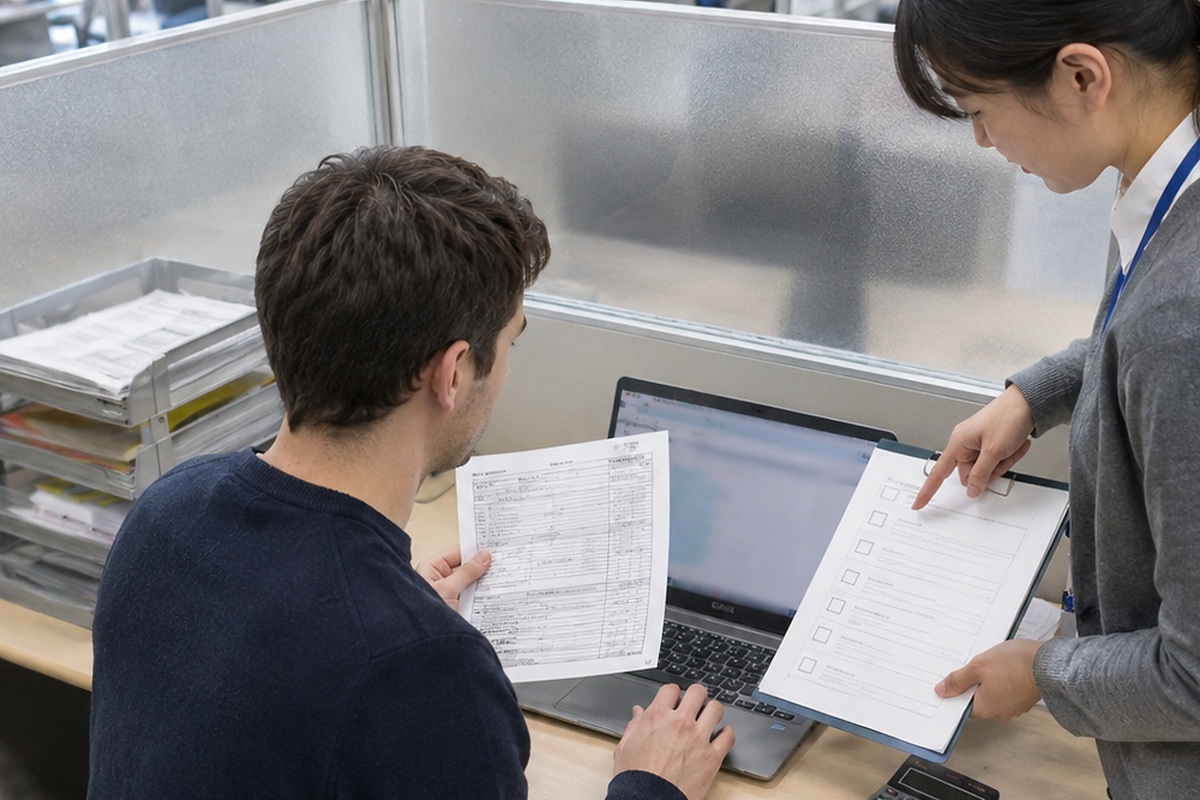
You do not need to understand every administrative term before asking for help. Short, precise questions work well at city hall, immigration, a clinic, a bank, or another service counter.
Show the exact form and point to the field when possible. This reduces the chance that staff answer a different question from the one you are trying to solve.
- この欄には何を書けばいいですか。— Kono ran ni wa nani o kakeba ii desu ka? — What should I write in this field?
- パスポートと同じ表記でいいですか。— Pasupōto to onaji hyōki de ii desu ka? — Should I write it exactly as shown in my passport?
- 訂正方法を教えてください。— Teisei hōhō o oshiete kudasai. — Please tell me how to correct this.
- 記入例はありますか。— Kinyūrei wa arimasu ka? — Is there a completed example?
- ここは空欄でいいですか。— Koko wa kūran de ii desu ka? — Is it okay to leave this blank?
- この書類はコピーで大丈夫ですか。— Kono shorui wa kopī de daijōbu desu ka? — Is a copy of this document acceptable?
Final Review Checklist Before Submission
Do a separate final review after you finish writing. Reading the form once more from the top is more reliable than checking fields only as you fill them. Compare identity details directly with the source document rather than from memory.
For online procedures, review the confirmation screen and attachment list before pressing the final submit button. For paper procedures, check both sides of the form and every attachment before putting documents into an envelope or handing them across the counter.
Keep a private copy when appropriate, but protect it. Japanese forms can contain passport or residence-card information, My Number-related information, bank details, signatures, family information, health information, and other sensitive data.
- Correct form, office, deadline, and submission route
- Legal name, birth date, nationality, and identity details
- Current address, building and room number, phone, and email
- Correct date system and correct event date
- All checkbox, circle, consent, and non-applicable fields
- Correct applicant, household, representative, witness, or guarantor details
- Originals, copies, translations, photographs, and other attachments
- Required signature, seal if applicable, and application date
- Submission receipt or copy retained securely
Common Problems and What to Do
If your name does not fit, do not delete part of the legal name. Ask whether the authority wants continuation outside the box, an attachment, or another method. If preprinted data is old, confirm whether that specific form permits correction or whether a new form must be issued.
If an online application contains incorrect information, look for an official withdrawal, amendment, or correction function. If none is available, contact the authority and quote the receipt or application number.
If the receiving office asks for another document, ask for the exact document name, issuing authority, acceptable age of the document, original-or-copy rule, translation requirement, and new deadline. Write those requirements down before leaving the counter.
If the instructions, official example, and advice you receive appear inconsistent, treat the authority responsible for your specific procedure as the controlling source rather than trying to combine rules from unrelated forms.
- Long name: ask how the authority wants the full name handled.
- Old preprinted data: confirm correction versus reissue.
- Online mistake: use the official amendment/withdrawal route or contact the authority.
- Missing attachment: ask for the exact document specification and deadline.
- Conflicting guidance: confirm with the authority receiving the form.
FAQ
Should I write in English or Japanese?
Follow the specific field and official example. A form may require Roman letters for a passport-style name, katakana or hiragana for a reading, Japanese for an explanation, or a specific character type in an online field.
Can I use an erasable pen on Japanese official forms?
Only if the form's instructions permit it. For important paper applications and notifications, use the writing instrument specified by the authority; when no rule is clear, ask before using erasable ink.
Can I use correction tape?
Do not assume it is allowed. Correction rules differ by form. Read the exact instructions or ask the receiving authority, especially for family-register, immigration, tax, and other legally significant documents.
Can a friend fill out a Japanese form for me?
A friend may be able to help with ordinary fields when the procedure permits, but fields requiring the applicant's own signature or self-completion must be handled as instructed. A formal representative can require a power of attorney and separate identification.
What should I write when a field does not apply?
Check the instructions. Depending on the form, the authority may want なし, 該当なし, a line, or a blank field. Do not fill staff-use fields.
How should I write a long foreign name?
Use the legal name source required by the procedure and do not silently remove middle names or reorder the name. If it does not fit, ask the receiving authority how to continue it.
Can I submit only a Japanese translation of a foreign document?
Only when that procedure explicitly permits it. Many procedures require the foreign original or an accepted copy together with a Japanese translation, and some require translator information.
How do I know whether an online application is finished?
A successful upload or 'submitted' message may only mean the application was received. Save the receipt or application number and check the system's status page, My Page, email, or other official notification until the procedure is completed.
Official References
- Immigration Services Agency — Online Application Forms and Official Examples
- Immigration Services Agency — Online Residence Application Procedures
- Immigration Services Agency — New Online Residence Application System from January 5, 2026
- J-LIS — My Number Card Application by Mail
- J-LIS — My Number Card Application by Computer
- J-LIS — My Number Card Photo Requirements
- e-Gov — Electronic Applications
- Edogawa City — Resident Record Request Forms and Examples
- Edogawa City — Family Register Notification Forms and Examples

Final Thoughts
Japanese forms become much easier when you separate language from verification. First identify the exact procedure and current form. Then copy legal identity details from the correct official record, follow the requested script and date format, and attach exactly what the receiving authority requires. Do not import correction, seal, representative, photo, or blank-field rules from a different form. For 2026 online procedures, use the authority's current system and save the submission record. The safest habit is simple: when a field can affect an official record and you are unsure, stop and ask for the current 記載例 or staff instruction before submitting.